GitHub
- 4.8
- Rating
- 10.00M
- Installs
- Free
- Price

 Analysis by App-foxy
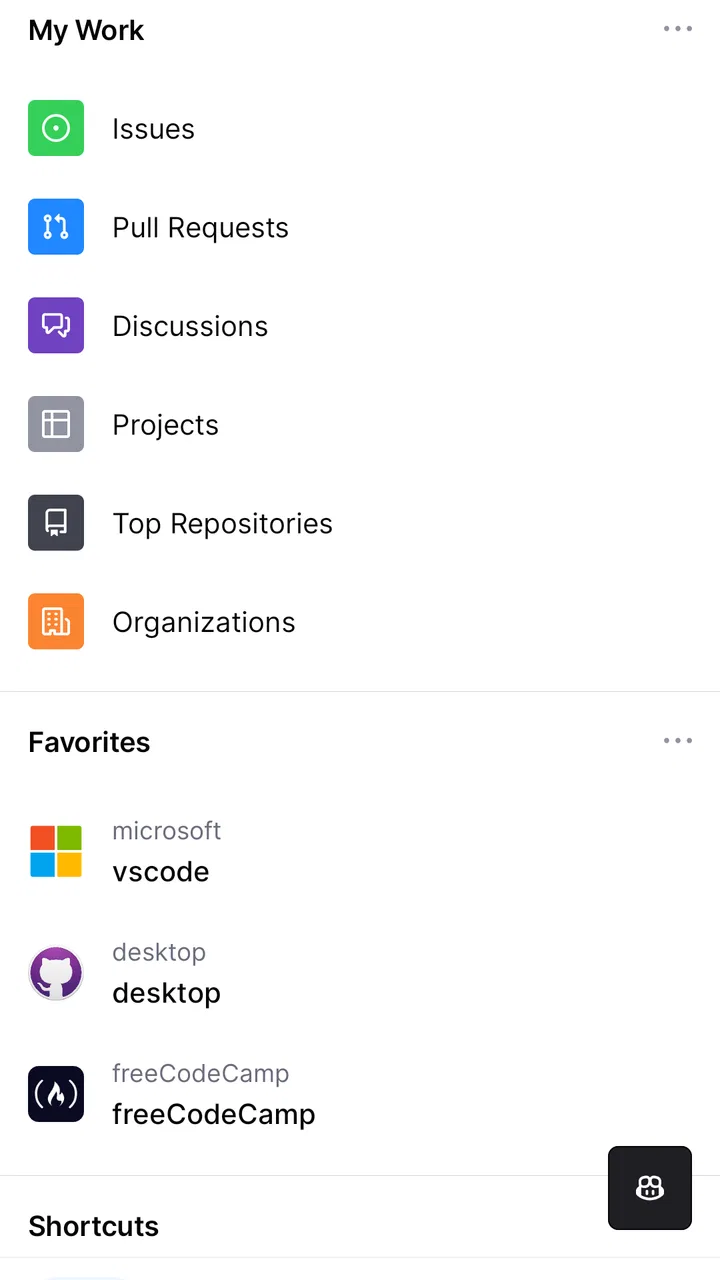
I use GitHub as a mobile extension of my development workflow rather than as a replacement for the full desktop website. That distinction matters. The app is most useful when I need to keep work moving between coding sessions: checking a notification, answering a review comment, looking at an issue, or approving a change while I am away from my computer. It turns GitHub from a place I visit only during focused work into a lightweight control panel for the parts of software collaboration that cannot always wait.
GitHub is a free productivity app from GitHub, aimed at people who already work with repositories, pull requests, issues, and team discussions. Its average rating is 4.7 from around 130 thousand ratings, and it has passed 10 million installs, so it is clearly not a niche companion. I can understand that popularity, although I also think the app makes the most sense for an existing GitHub user. If you do not collaborate on code, there is little reason to install it.
Where the app fits before I start using it
My most productive GitHub routine begins before opening the mobile app. I do not treat every notification as an emergency. Instead, I separate items that need a quick decision from work that needs a keyboard, a local development environment, or a proper review session. GitHub is excellent for the first group. It is much less comfortable for the second.
You May Also Like

 Blood Strike: 2.5 Anniversary
Blood Strike’s Loadouts Turn Every Drop Into a Tactical Gamble
A close look at Blood Strike’s custom loadouts: how fast access to signature weapons reshapes its battle royale rhythm, rewards preparation, and narrows the gap between fights.

 Pandora - Music & Podcasts
Pandora’s Music Is Easy to Start, but Harder to Recover
Pandora’s strength is its low-effort path from a seed to a station. Its weak spot is how much confidence it asks you to place in connection, setup, and quiet recovery.

 8 Ball Pool
 Is Built on Rivalries, Rematches, and Routine
A close look at the rivalries, rematches, shared routines, and unanswered safety questions that turn a quick pool match into a persistent mobile community.

 Samsung Music
’s Quiet Strength Is Playing What You Already Own
Its reach comes less from spectacle than from dependable access to a personal library. That simplicity is both the app’s strongest retention engine and its ceiling.

 AccuWeather: Weather Radar
AccuWeather Review: A Quick, Clear Forecast for Everyday Decisions
For everyday plans, the best forecast is the one you can understand quickly. AccuWeather makes rain timing, radar, and local conditions easy to act on, with a few trade-offs.

 Hill Climb Racing
Why Hill Climb Racing Still Turns Crashes Into One More Run
A tiny car, a bumpy hill and one more upgrade: Hill Climb Racing keeps resurfacing because its simple chaos makes every near-miss feel personal.
More From Our News Desk



That simple boundary prevents a common mistake: trying to perform a complete development workflow on a phone. I can inspect a pull request, follow the conversation, leave a focused comment, and merge when the decision is clear. I would not choose the small screen for a large code review, a complicated conflict, or a change that requires running tests locally. The app works best as a decision-making layer around the main workflow.
In practical terms, I use it during short gaps in the day. A notification may tell me that someone requested my review, mentioned me in an issue, or replied to a discussion. Instead of opening a laptop for every alert, I can quickly decide whether the item is ready for action. That keeps my desktop sessions reserved for deeper work rather than administrative checking.
The app also helps reduce the mental cost of remembering where a conversation stands. Without a mobile view, I might see an alert, postpone it, and later forget whether I had already read the relevant thread. GitHub gives me a convenient place to triage those interruptions. I still need discipline, but the app makes the discipline easier to maintain.
Turning notifications into a manageable queue
The notification area is the part I rely on most. I do not read every item with equal attention. I scan for the reason I was contacted, identify the repository and discussion, and then decide on one of three actions: respond now, leave it for a desktop session, or stop following it if it no longer deserves attention.
That last choice is easy to overlook. A notification queue becomes stressful when every old conversation continues to compete for attention. The mobile app is more useful when I treat notifications as a queue to curate, not a list to conquer. If a discussion is no longer relevant to me, removing it from my immediate attention is a productivity improvement, not avoidance.
A useful habit is to open the surrounding conversation before replying. A notification may show the latest comment, but the right response often depends on earlier decisions, linked issues, or the current state of a pull request. On a phone, it is tempting to answer from the alert preview alone. I get better results when I spend a few extra seconds checking the context first.
The strongest mobile habit is fast triage, not fast typing. The app saves time when it helps me classify work accurately. It does not save time if I use it to write rushed explanations that later need correction.
Capturing useful information without creating noise
GitHub is not a general notes app, and I would not use it as one. Its value comes from placing information beside the repository or discussion where it belongs. When I comment on an issue or pull request, I try to leave something that helps the next person act: a clear question, a decision, a reproduction detail, or a short explanation of what still needs checking.
On mobile, concise comments are especially important. I avoid turning a small-screen reply into a long design document. If the subject needs examples, code, or several alternatives, I make a brief note that the topic deserves a fuller desktop conversation. The mobile app is then used to preserve momentum without pretending that every problem can be solved inside a compact interface.
This is also where GitHub differs from ordinary task managers. A task app may be better for personal reminders, recurring chores, or broad project planning. GitHub is better when the work is tied to a repository and the conversation itself is part of the project record. I prefer keeping technical decisions in the relevant issue or pull request because future contributors can find the reasoning where they expect it.
One non-obvious advantage is that mobile comments can be useful for clarifying ownership. If I cannot complete a review immediately, I can state what I have checked and what remains. That small update prevents teammates from guessing whether the request was ignored. It also makes returning to the item easier because I have left myself a precise starting point.
Reviewing changes with the right level of confidence
Pull request review is the feature that most clearly defines the app. I can inspect a proposed change, read comments, participate in the discussion, and merge when the conditions are right. For straightforward changes, this is genuinely convenient. A documentation correction, a small configuration adjustment, or a familiar low-risk edit may not justify waiting until I return to a computer.
However, I do not treat a mobile review as automatically equivalent to a desktop review. The smaller display makes it harder to compare broad changes, hold several files in mind, or investigate an unfamiliar implementation. I am more comfortable using the phone for a second pass, a focused approval, or a review where the important question is already well defined.
Before merging from the app, I check that the discussion is settled and that I understand the change well enough to accept its consequences. The convenience can create pressure to tap through a request simply because it is available. I think the safer rule is to merge only when the mobile view confirms a decision already supported by the surrounding workflow.
That trade-off is central to the app. It removes delays from simple decisions, but it should not remove caution from important ones. A phone is a useful window into a codebase; it is not automatically the best place to investigate every detail of that codebase.
A repeatable routine that keeps the app useful
My preferred routine is short and repeatable. I check GitHub at a planned point rather than reacting to every interruption. First I scan notifications. Then I group items by action: quick reply, review, merge decision, or desktop follow-up. Finally, I close the app once the queue has been classified.
This approach makes the app part of a sustainable productivity system. It protects focused coding time while still giving collaborators a timely response. The routine also prevents the mobile app from becoming an endless stream of checking. If I opened it every time an alert appeared, I would trade one kind of distraction for another.
For teams, the routine can be even more practical when responsibilities are clear. A reviewer can use the app to acknowledge a request, ask for the one missing detail, and communicate when a deeper review will happen. That is more helpful than silently waiting until a full desktop session becomes available.
I also recommend using the app to finish small loops rather than begin large ones. Reading a question and answering it is a good mobile task. Starting an unfamiliar feature review from scratch is usually not. This distinction keeps the phone workflow predictable and reduces the chance that an important task gets handled with insufficient context.
Where friction appears in everyday use
The first limitation is the screen. Even when the app presents the relevant information clearly, code review remains a visually demanding activity. Long diffs, nested discussions, and several related files can become tiring. If I need to understand architecture rather than confirm a narrow change, I move to a larger screen.
The second limitation is input. Writing a thoughtful technical explanation on a phone keyboard takes more effort and makes mistakes more likely. I can handle a short reply, but I would rather draft a complex review on a computer. The app encourages concise communication, which is useful until the subject requires precision that cannot fit comfortably into a few lines.
The third issue is context switching. GitHub can make work feel available everywhere, but availability is not the same as productivity. If I use it during meals, commuting, or time reserved for personal activities, it can quietly extend the workday. I recommend setting a clear rule for when mobile access is allowed, especially for people who already receive many repository notifications.
There is also a difference between being able to perform an action and having enough information to perform it responsibly. A merge button is convenient, but convenience does not replace testing, local inspection, or team process. I see the app as a way to complete a known decision, not as permission to skip the checks that make the decision trustworthy.
The current version is 1.248.0, and the app supports devices running Android 8.0 or later. Those details make it accessible to many Android users, but compatibility alone does not determine whether it belongs in your routine. The more important question is whether your work benefits from mobile access to active GitHub conversations.
How it compares with familiar alternatives
Compared with using GitHub in a mobile browser, the dedicated app feels more focused for notifications and repository conversations. A browser can be useful when I need a broader web interface or want to move between unrelated sites, but it also introduces more navigation and makes the experience feel less like a quick work queue.
Compared with a task manager, GitHub is more specialized and more authoritative for software collaboration. A task manager may show me that a review is pending, but it usually does not contain the actual code discussion, reviewer comments, and repository context. I would use a task app to plan my day and GitHub to handle the technical work itself.
Compared with a desktop Git client or the full GitHub website, the mobile app is intentionally narrower. Desktop tools remain better for branch-heavy work, detailed diffs, local testing, and extended coding sessions. GitHub wins when the task is already defined and I need to respond without opening the entire development environment.
This makes the app complementary rather than competitive. I would not replace my main tools with it, and I do not think it is designed for that. Its success is measured by how many small delays it removes without encouraging me to perform unsuitable work on a phone.
Who should adopt it, and who should skip it
I recommend GitHub to developers, maintainers, technical leads, and contributors who regularly receive repository notifications or participate in pull request discussions. It is especially useful for people who travel between workspaces, share review responsibility, or need to answer focused questions outside normal desk time.
It is also a good fit for someone who wants a calmer boundary between urgent collaboration and deep work. By triaging on mobile, I can acknowledge a request without opening an editor and losing the thread of the task I was doing. Used carefully, that is a meaningful improvement to a working day.
I would skip it if your GitHub activity is rare, if you only use repositories privately for occasional storage, or if you dislike receiving work-related notifications away from a computer. I would also avoid relying on it as the only review environment for large or high-risk changes. In those cases, the full website and local tools offer better visibility and control.
The content rating is Teen, which is a sensible classification for a professional collaboration tool that can contain technical discussions and project material. The app itself is free to install, while in-app purchase items are listed from around ten dollars to around thirty-nine dollars each. I would not make the purchase question the main reason to choose or reject it; the important value is whether mobile GitHub access solves a real workflow problem for you.
GitHub was released on February 15, 2020, and its continued presence on mobile shows how useful repository communication can be away from a desktop. Still, I judge it by a practical standard: does it help me make a clear decision, communicate responsibly, or keep a task from becoming forgotten? When the answer is yes, it earns a place on my phone.
My final recommendation for a sustainable workflow
After using it as a companion to desktop development, I see GitHub as a focused productivity tool for maintaining momentum. It is not a miniature coding workstation, and trying to force it into that role creates most of the frustration. Its best work happens in the space between notification and decision: reading enough context, responding clearly, and returning complex work to the environment where it can be handled properly.
The most effective setup is simple. Keep personal planning in the tool that suits it, keep technical decisions in the relevant GitHub conversation, and use the mobile app to triage rather than constantly monitor. Set boundaries around notifications, reserve detailed reviews for a larger screen, and use short mobile comments to make ownership and next steps clear.
My recommendation is positive for active GitHub collaborators who want fewer interruptions to their desktop workflow. If you already work with repositories and pull requests, the app can make collaboration feel less tied to one desk. If you rarely need to respond to GitHub activity, it will probably add another notification stream without giving you much in return.
FAQs for GitHub
01What is GitHub and how does it work?
GitHub is a platform for version control and collaboration, allowing developers to work on projects together from anywhere. It uses Git, a distributed version control system, to track changes in code. Users can clone repositories, make changes, and push updates, enabling seamless collaboration and project management.
02Is GitHub free to use for personal projects?
Yes, GitHub offers free plans for individual users, which include unlimited public and private repositories. While free plans are sufficient for many, professional developers or teams might opt for paid plans to access additional features such as advanced code review tools and increased storage.
03How secure is my data on GitHub?
GitHub implements strong security measures to protect user data, including encryption, access controls, and regular security audits. However, users should also follow best practices, like using strong passwords and enabling two-factor authentication, to ensure their accounts remain secure.
04Can non-developers benefit from using GitHub?
Absolutely! While GitHub is primarily used by developers, non-developers can also take advantage of its features for documentation, version control of text files, and collaboration on non-code projects. GitHub’s intuitive interface makes it accessible to users with varying technical expertise.
05How do I get started with GitHub as a beginner?
To get started with GitHub, create an account on their website and explore the extensive documentation and tutorials available. Beginners can start by creating a repository, cloning it to their local machine, and learning basic Git commands to manage and track changes effectively.
Pros
- User-friendly interface for easy navigation.
- Extensive community support and resources.
- Supports multiple programming languages.
- Seamless integration with other tools.
- Robust version control and collaboration features.
Cons
- Steep learning curve for beginners.
- Limited offline functionality.
- Some advanced features require payment.
- Occasional performance lags in large repositories.
- Complexity in managing large projects.

GitHub
Gallery